
Map Quiz Creator: Build Immersive Geography Quizzes
Discover how the map quiz creator helps you design immersive geography quizzes, customize maps, and boost learner engagement.
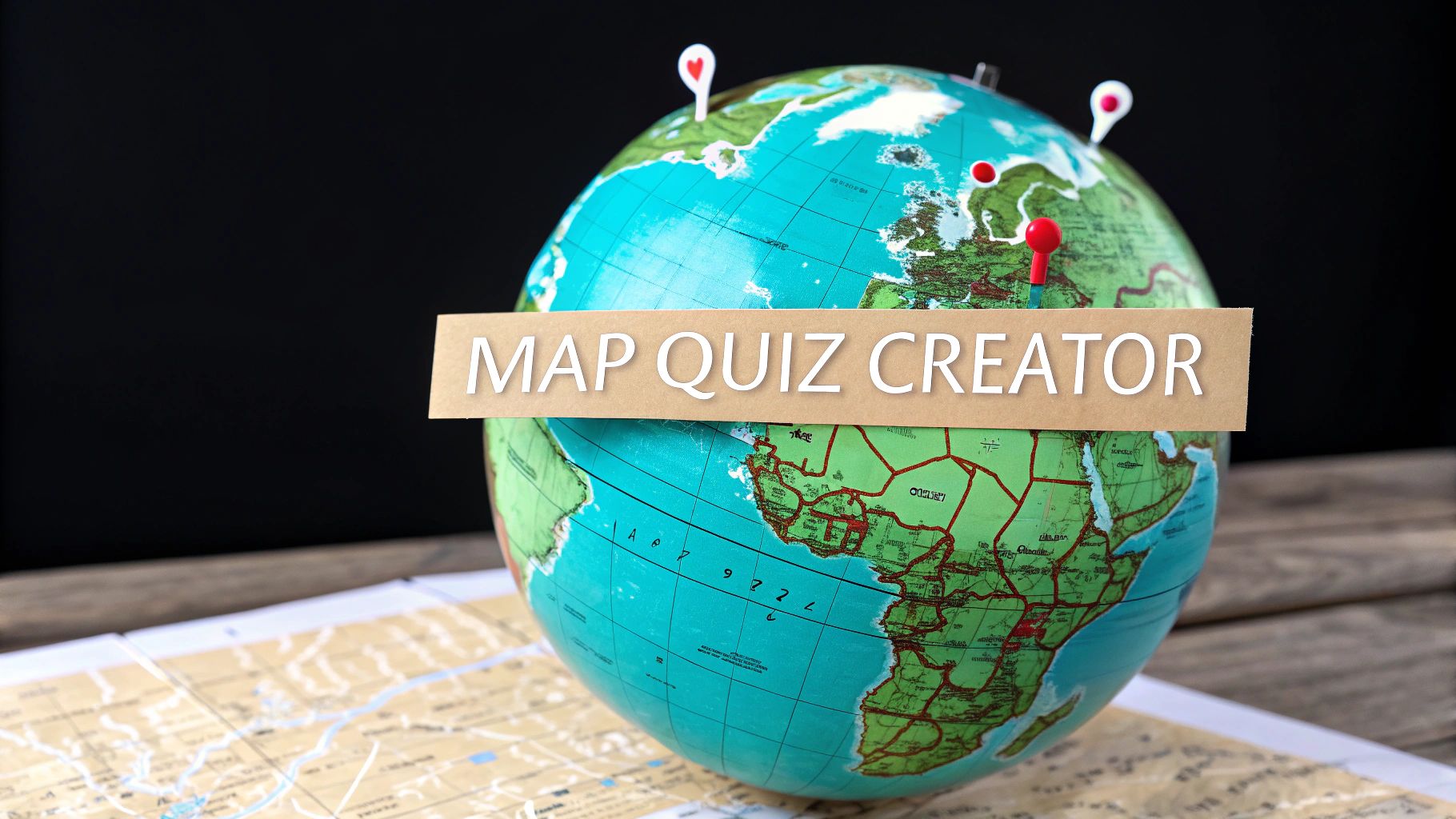
A great map quiz creator does more than just test memory—it pulls you into the learning process. Instead of staring at a flat page, you get to explore a dynamic 3D globe, pinpointing locations and connecting geographical facts in a way that actually sticks. This hands-on experience is what makes interactive map quizzes so powerful.
Beyond Flashcards: Why Interactive Maps Work So Well
Let's face it, traditional geography lessons, with their endless flashcards and static maps, can feel completely disconnected from the real world. An interactive map quiz creator flips that script. It turns abstract names and places into tangible, explorable experiences.
The real magic is in the spatial learning it encourages—that’s the natural way our brains build mental maps of the world around us. When a student has to actively pan, zoom, and rotate a 3D globe to find an answer, they’re firing up cognitive pathways that simple rote memorization just can't reach.
This active engagement leads to dramatically better retention. Think about it: a student tasked with finding the source of the Nile River isn't just recalling a name. They're visually tracing its path through different countries and landscapes, creating a much richer, more contextual memory. This is the core of what makes interactive learning so effective. Doing solidifies knowing.
The Science of Seeing and Doing
The human brain is wired to process visual and spatial information with incredible speed. When you build a quiz with a map creator, you're tapping directly into this innate ability.
- Contextual Anchoring: Placing a historical event on a map, like identifying key battle sites from World War II, anchors that information in a real-world context. Suddenly, it's not just a date in a book.
- Narrative Building: A well-designed quiz can tell a story. You can guide users along ancient trade routes or animal migration paths, turning a list of facts into a compelling journey.
- Gamified Motivation: By adding timers, scoring, and leaderboards, you introduce a layer of friendly competition that boosts engagement and makes people want to play again and improve.
It’s a modern educational tool that sparks genuine curiosity, not just forces memorization.
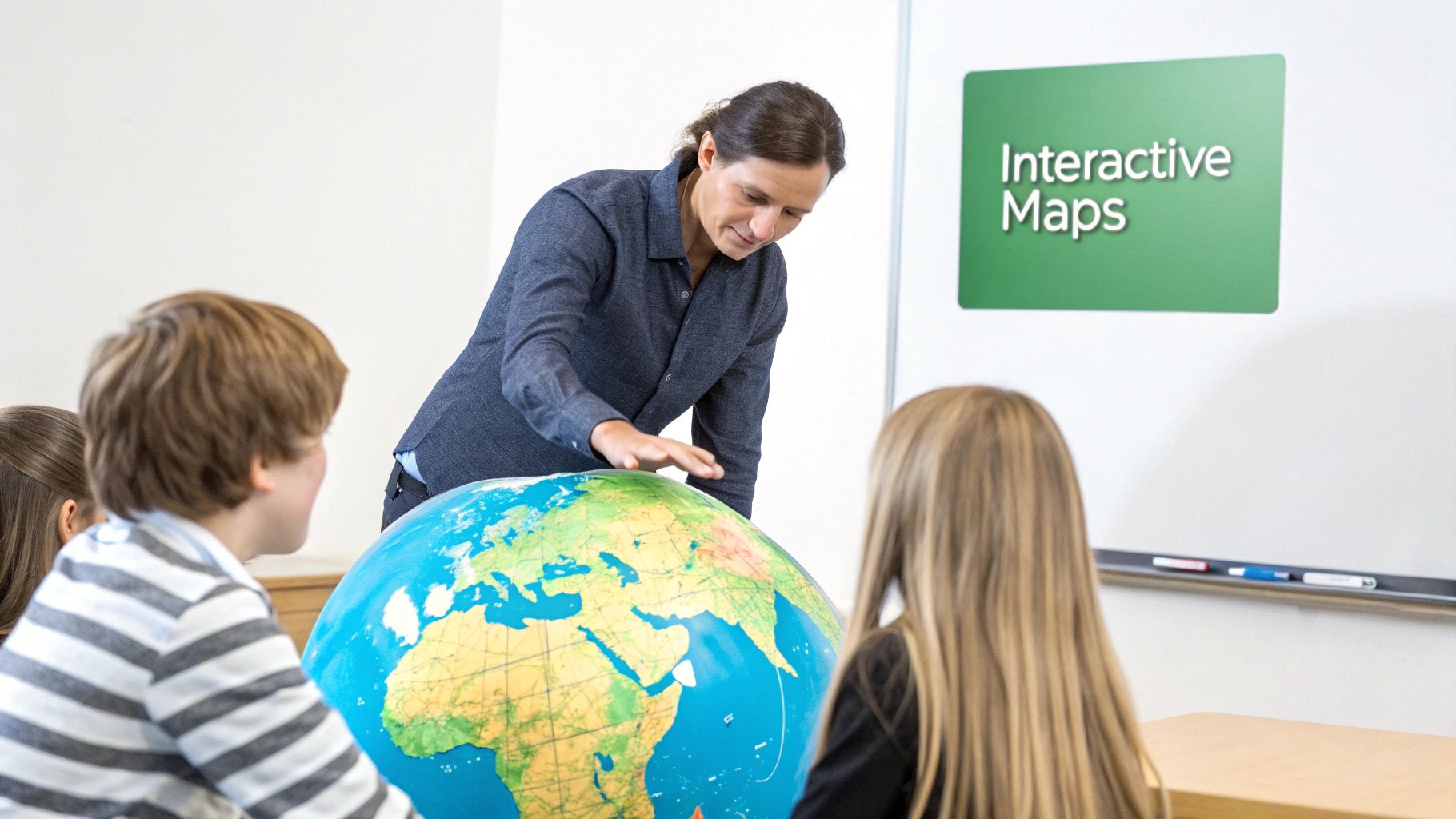
The image above really captures the essence of this hands-on approach—moving learning from the textbook to a tactile, exploratory experience. This shift isn't just a small trend; it's a huge movement in educational technology. The online quiz maker market is already valued at over USD 1.1 billion and is expected to hit USD 3.5 billion by 2035, all driven by the demand for more engaging digital tools.
By transforming data into a visual story, interactive maps make complex information accessible and understandable. They turn learners from passive observers into active explorers.
To make your quizzes as effective as possible, it helps to understand some core data visualization best practices. Following these principles will ensure your maps are not only informative but also clear and intuitive for everyone who uses them.
Designing Your First Interactive Map Quiz
Jumping into a map quiz creator can feel like you have a world of options—because you do. The key is to start with a clear vision. What are you trying to accomplish?
Is this a classroom tool for teaching world capitals? A fun trivia night challenge about a fictional universe? Or maybe a corporate training module for new sales territories? Your end goal will shape every single design choice you make from here on out.
When you start building your first quiz, it helps to think about the principles of designing effective learning experiences. A great quiz is more than a test; it's a guided journey. This means crafting a narrative that pulls the user in, rather than just asking them to point and click.

Choosing Your Canvas
The map itself is your stage, and the right one depends entirely on your quiz's story. Don't feel locked into a standard world map if your topic is more specific.
- Global Scale: Perfect for topics like continental drift, major ocean currents, or the Seven Wonders of the Ancient World. This broad view helps players see the big picture and understand large-scale geographic relationships.
- Regional Focus: Ideal for quizzes about the states of Australia, the provinces of Canada, or the historic Silk Road. Zooming in allows for much more detailed questions and precise marker placements.
- Custom Maps: This is where the real creativity kicks in. You can upload an image of anything—a fantasy realm, a historical battlefield, or even a diagram of a local park. With the right tool, any image can become an interactive quiz map.
Using a platform that supports custom uploads opens up a universe of possibilities. If you have a unique vision, it's worth exploring an advanced custom map creator to build your foundation before you even add a single question.
Writing Questions That Engage
The best quiz questions do more than test what someone has memorized; they encourage exploration and critical thinking. A great question makes the user actually look at the map and connect the dots. Keep your players on their toes by aiming for variety.
Try framing questions as mini-scenarios or challenges. Instead of a flat "Where is Mount Everest?", you could write, "Pinpoint the highest point on Earth, a peak that straddles the border of Nepal and China." This adds a layer of context that makes the answer stick.
The goal is to make players feel like detectives, not just test-takers. Use clues, historical context, and descriptive language to guide them toward the answer, turning a simple question into a small discovery.
Structuring Your Quiz Flow
The order of your questions really matters. A well-structured quiz builds momentum and tells a coherent story, making the whole experience feel intentional and polished.
Consider one of these approaches for your quiz structure:
- Geographic Progression: Move players logically across the map. You could start in Western Europe and travel east, or follow a historical migration route.
- Thematic Grouping: Bundle questions by category. For instance, a quiz on Africa might have separate rounds for major rivers, then capital cities, and finally national parks.
- Increasing Difficulty: Start with easier, more recognizable locations to build confidence. Then, gradually introduce more challenging questions that require deeper knowledge or a more precise click.
This kind of thoughtful sequencing turns a random collection of trivia into a cohesive and satisfying challenge. A flexible map quiz creator will let you easily drag and drop questions, allowing you to fine-tune the player's journey until it feels just right. Every element should work together to create an experience that's both informative and genuinely fun.
Crafting an Immersive 3D Quiz Experience
Moving beyond a flat, 2D surface is where your map quiz truly comes to life. Building in three dimensions with the right tools transforms a simple test into a guided tour. It’s less about just knowing an answer and more about exploring a digital globe to find it.
The key is to think like a director. You can use camera angles and zoom levels to guide your user's journey. Instead of just showing a static world map for every single question, you can dynamically shift the player's perspective. For a question about the Amazon River, why not start the camera zoomed out on South America, then smoothly pan in to focus on the river basin? This creates a natural narrative, making the quiz feel more like a mini-documentary.
Using 3D Space to Tell a Story
A 3D environment adds layers of context that a flat map just can't match. Suddenly, the curvature of the Earth is obvious, mountain ranges have real height, and the sheer scale of the oceans feels tangible. This kind of spatial awareness makes information stick.
- Illustrate Scale: Show the vastness of the Pacific Ocean by slowly panning from Asia to the Americas.
- Highlight Topography: A question about the Himalayas is far more impactful when players can see the towering, jagged peaks.
- Create a Guided Path: You could design a quiz that follows a historical journey, like Marco Polo's travels, moving the camera along the route with each new question.
This approach is incredibly effective in education. The adoption of these kinds of tools has been particularly strong in North America, which now commands over 40% of the global online quiz maker market. Early integration in K-12 schools has shown some impressive results, helping boost geography scores by as much as 25% in certain assessments. You can dig deeper into this trend in this market analysis report.
Think of each question as a scene in a larger story. Use the 3D canvas to set the stage, provide visual cues, and make the entire experience feel cohesive and memorable.
Techniques for Placing Markers and Regions
Placing markers in 3D requires a slightly different mindset. Accuracy is still king, but you also have to think about visibility and the user experience. When a player is rotating a globe, a marker might be temporarily hidden on the other side. You have to account for that.
Here are a few pro tips I've picked up for 3D marker placement:
- Define Larger Regions: For questions about entire countries or continents, define the whole area as clickable instead of using a single pin. This forgives near-misses and just feels more intuitive when you're interacting with a sphere.
- Use Zoom for Precision: For pinpoint locations like specific cities or landmarks, program the quiz to automatically zoom in. This eliminates the frustration of trying to tap a tiny, distant target.
- Leverage Visual Cues: Use pulsing animations or bright, distinct colors for your markers. This ensures they stand out against complex satellite imagery and varied terrain.
Mastering these techniques will elevate your quizzes from simple assessments to genuinely immersive challenges. For some great inspiration on how these elements come together, check out our guide on creating a photorealistic map game that uses these exact principles. Your map quiz creator is the tool, but your creativity is what will ultimately build an unforgettable experience.
Setting the Rules for Scoring and Gameplay
Great questions are the heart of a quiz, but the gameplay rules are what make it beat. This is where you get to play game designer, tweaking the mechanics to create a real challenge, a casual tour, or a frantic race against the clock.
Embedded content
Think about your audience. A classroom quiz needs to prioritize accuracy. But if you’re making a trivia game for friends, rewarding lightning-fast answers can inject some serious energy and competition. A good map quiz creator gives you all the dials to tune this experience perfectly.
One of the first big decisions you'll make is the map style itself. Do you want the classic, straightforward feel of a 2D map, or the immersive, spin-the-globe experience of 3D?
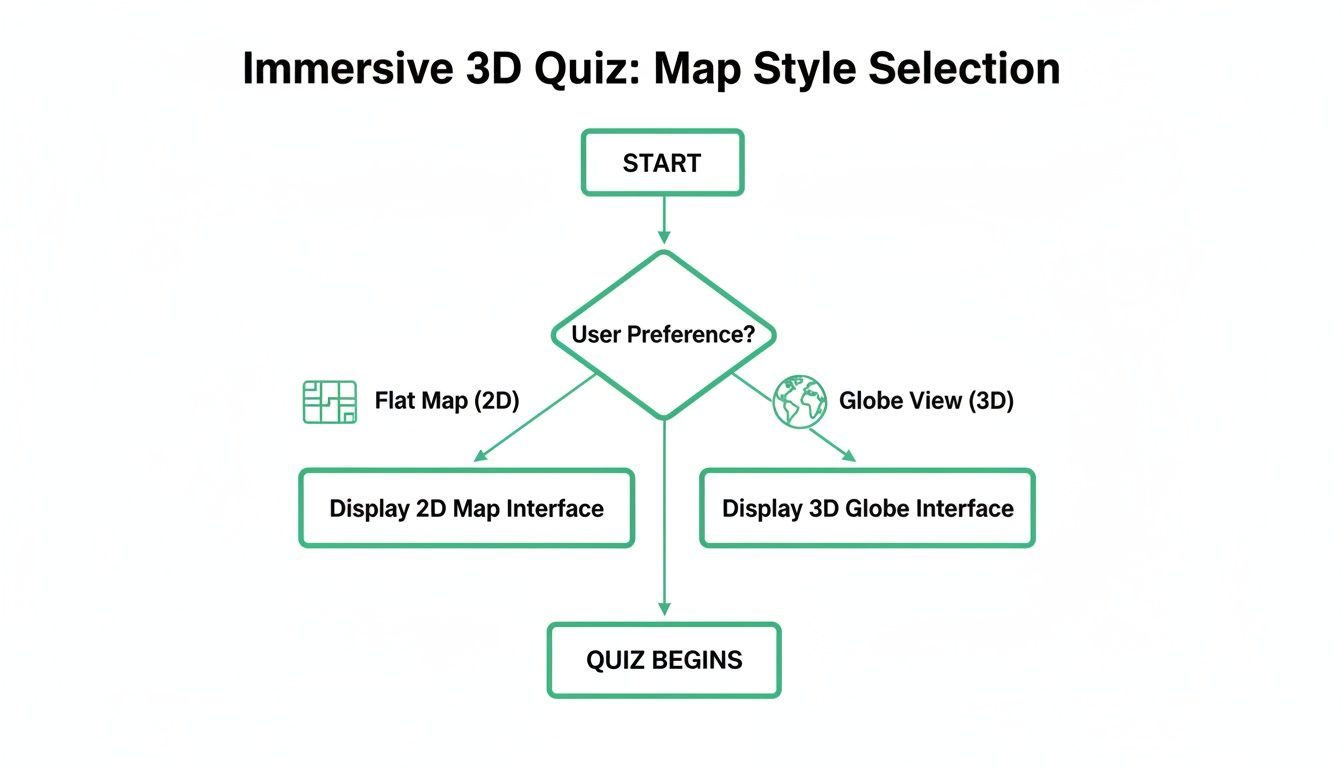
This choice isn't just cosmetic; it changes how players see the world and interact with your questions, directly impacting the feel of the game.
H3: Configuring Scoring Models
The way you award points is your most powerful tool for shaping player behavior. Want them to be cautious and precise? Or fast and gutsy? It’s all in the scoring.
- Accuracy-Based Scoring: This is the classic model. You get it right, you get the points. Simple, clean, and perfect for formal tests or educational drills where getting the correct answer is all that matters.
- Speed-Based Scoring: Want to add a shot of adrenaline? Make the clock a factor. A correct answer in the first two seconds might be worth 1,000 points, but that value could decay to 500 points after five seconds. This rewards quick recall and confident clicking.
- Proximity Scoring: This is a game-changer for any "find on map" question. Instead of a harsh right/wrong, you can award partial credit based on how close a player’s pin is to the target. It’s a fantastic way to encourage educated guesses and keep players engaged even when they aren't 100% sure.
Don't be afraid to mix and match. A quiz that combines different scoring types can reward multiple skills and keep everyone on their toes.
Balancing Difficulty with Timers and Attempts
Scoring is just one piece of the puzzle. You can also dial up the intensity by adding constraints like timers and limited attempts. Putting a countdown on the screen is the quickest way to turn a thoughtful exercise into a high-pressure challenge.
A well-placed timer transforms a thoughtful puzzle into a thrilling race against the clock. It forces players to rely on instinct and quick recall, making each correct answer feel like a victory.
But timers aren't always the answer. For a detailed learning module where you want students to explore the map and think critically, giving them unlimited time is the way to go.
Limiting the number of guesses per question is another powerful lever. Give players just one shot, and the stakes are immediately higher. On the other hand, allowing two or three attempts creates a forgiving environment that’s great for younger learners or casual players. You can even set up hints to appear after a wrong answer, gently guiding them toward the solution.
The key is to match the mechanics to the mission of your quiz. The table below breaks down how different settings can be used for various goals.
Quiz Gameplay Configuration Options
Here’s a look at how different settings can be tailored for educators, corporate trainers, or social gamers.
| Feature | Best For Education | Best For Corporate Training | Best For Social Games |
|---|---|---|---|
| Accuracy Scoring | Ideal for formal assessments and knowledge checks where precision is key. | Useful for compliance quizzes and certifying procedural knowledge. | Good for a classic trivia night feel where only right answers count. |
| Speed Scoring | Use for fun, low-stakes review games to boost engagement. | Simulates high-pressure environments and quick decision-making. | Essential for creating a fast-paced, competitive, and exciting game. |
| Proximity Scoring | Encourages estimation and spatial reasoning without penalizing near-misses. | Great for logistics or sales territory quizzes where "close enough" is valuable. | Makes "find on map" rounds more forgiving and fun for everyone. |
| Strict Timer | Not usually recommended, unless for a competitive "quiz bowl" style activity. | Tests the ability to perform accurately and quickly under pressure. | A must-have to create urgency and keep the game moving. |
| Limited Attempts | Best for summative tests to measure retained knowledge. | Mirrors real-world scenarios where you may only get one chance. | Raises the stakes and makes every click count. |
| Hints | Excellent for formative learning, guiding students toward the correct answer. | Can be used in training modules to reinforce key information after a mistake. | Not typically used, as it lowers the competitive challenge. |
Ultimately, there's no single "right" way to configure a quiz. The best setup is the one that creates the perfect balance of fun, challenge, and learning for your specific audience. Experiment with these options to find what works for you.
Sharing and Embedding Your Finished Map Quiz
You've built an amazing interactive quiz—now it’s time to get it in front of people. A great map quiz creator makes this final step incredibly simple, turning your hard work into a shareable experience with just a few clicks.
Think of this as your launch plan.
The most direct method is the simple, shareable link. It’s the perfect solution for quick distribution. You can drop this link into a class assignment email, post it on social media to challenge your friends, or send it in a group chat for a fun trivia night. It’s fast, versatile, and gets your quiz into people's hands immediately.

Integrating Your Quiz Seamlessly
For a more professional touch, embedding is the way to go. Most platforms give you a small snippet of code—usually an iframe—that you can copy and paste directly into your website's HTML.
This places the quiz right inside your blog post, webpage, or online course, allowing users to play without ever leaving your site. This is especially powerful for educators using a Learning Management System (LMS) like Canvas or Moodle. Embedding a quiz directly into a lesson creates a fluid, uninterrupted learning path for students.
Managing Privacy and Access Controls
Not every quiz is meant for the whole world. A good map quiz creator gives you precise control over who can see and play your creation. These settings are crucial for tailoring the experience to your specific needs.
- Public: Anyone with the link can play. This is ideal for quizzes you want to go viral or for general knowledge games on a public blog.
- Private: Only people you specifically invite can access the quiz. This is essential for classroom assessments or internal company training.
- Password-Protected: A great middle ground. Anyone with the link can see the quiz, but they have to enter a password to start. Perfect for sharing with a specific group without managing individual invites.
The demand for flexible digital tools like this is booming. In fact, the online quiz platform market in the Asia-Pacific region is expected to surge from USD 300 million to USD 1.2 billion by 2032. This explosive growth is fueled by the digital shift in education and a massive user base. You can dig into more data on the online quiz platform market here.
Choosing the right privacy setting isn't just a technical step—it's a strategic decision that aligns your quiz with its purpose. Whether it's a global challenge or a private classroom test, the right setting ensures the right people have the right access.
By mastering these sharing and privacy options, you ensure your interactive map quiz not only looks great but also reaches its intended audience effectively and securely. It’s the final, crucial step in bringing your creation to the world.
Got Questions About Making Map Quizzes?
When you first start building your own map quizzes, a few questions always pop up. It doesn't matter if you're a teacher trying to design a killer classroom activity or a trivia buff crafting the ultimate game night—getting the right answers early on makes everything run smoother.
Let’s dig into some of the most common questions people have. These are the things that usually come up right when you’re in the middle of a project and need a clear path forward.
What’s the Best Map Quiz Creator for Teachers?
For educators, the best tool is one that’s easy to pick up but powerful enough to create real assessments. You don’t have time for a massive learning curve, but you still need features that deliver educational value.
Look for a creator that gives you both pre-made maps for standard lessons (like world capitals or U.S. states) and the freedom to upload your own. That flexibility is everything.
A few features are non-negotiable for classroom use:
- LMS Integration: Can you embed your quiz directly into Canvas, Moodle, or your school's learning platform? This is a huge time-saver for assignments and grading.
- Real Analytics: You need more than just a final score. The best tools show you where students are getting stuck, which questions were the toughest, and how long they took.
- Private Sharing: For any kind of assessment, you have to be able to control who sees the quiz. Secure, student-only access is a must.
Ultimately, the best platform for teachers is one that hits that perfect balance between being user-friendly and genuinely engaging for students.
Can I Use My Own Images as Maps?
Yes, and you absolutely should. This is where things get really creative. The ability to upload your own image as a map is a total game-changer, opening up possibilities way beyond standard geography.
Think about it. A history teacher could upload a map of an ancient battlefield and quiz students on troop movements. A fantasy nerd could map out Middle-earth for a trivia night with friends. You could even use it in a business setting to quiz a sales team on their new territories.
Using a custom map elevates a quiz from a generic test to a highly specific and personal experience. It anchors the questions directly to your unique subject matter.
Just make sure you’re using a high-resolution image. That way, players can zoom in to see details without it getting all blurry. Once uploaded, you can place pins, define regions, and build questions just like you would on any other map.
How Do I Make My Map Quiz More Engaging?
To get people hooked, you have to think less like a test-maker and more like a game designer. The first step? Move beyond basic multiple-choice.
Mix up the challenge types. "Find on map" questions, where players have to physically pinpoint a location, are a natural fit and way more interactive. You can also build drag-and-drop challenges, like matching a country's flag to its location.
A timer is a fantastic way to add a little pressure and reward quick thinking. Combine that with a good scoring system and a leaderboard, and you’ll spark some friendly competition. Never underestimate how much a little rivalry can motivate players to try again for a higher score.
Is It Possible to Track Player Results?
Of course. Any serious map quiz tool will come with a built-in analytics dashboard. This is essential for figuring out how your players are doing and whether your quiz is actually effective.
Typically, you can track individual scores, completion rates, average time spent, and—most importantly—which questions tripped people up the most. For a teacher, this data is gold for spotting learning gaps. For a corporate trainer, it’s proof of comprehension. Most platforms also let you export this data so you can keep your own records or run a deeper analysis.
Ready to build your own immersive 3D geography challenges? With EarthChasers, you can create, share, and play stunning map quizzes that bring the world to life. Start creating your first map quiz today!