
How to Find Coordinates on Map A Practical Guide
Learn how to find coordinates on map using Google Maps and GPS. This guide covers coordinate formats (DMS/DD), advanced tools, and real-world tips.
Knowing how to find coordinates on a map is one of those fundamental skills that comes in handy more often than you'd think. It's the universal language of location, turning any spot on the globe into a simple set of numbers you can actually use—whether you're planning a backcountry hike or just making sure a package gets to the right rural driveway.
While it might sound technical, grabbing these numbers from modern mapping tools is incredibly simple.
The coordinates you pull will almost always show up in one of two formats: Decimal Degrees (DD) or Degrees, Minutes, Seconds (DMS).
- Decimal Degrees (DD): This is the modern standard you'll see on most websites and apps, like
40.7128, -74.0060. It's clean and easy to copy. - Degrees, Minutes, Seconds (DMS): This is the classic, more traditional format, like
40° 42' 46.08'' N, 74° 0' 21.6'' W.
If you're curious about what these numbers actually mean and how they pinpoint a location, you can get a great breakdown on latitude and longitude definitions.
The Easiest Ways to Find Coordinates
No matter what device you're on, the core action is the same: you just need to tell the map which specific point you're interested in. On a desktop computer, a right-click is your best friend. On a phone or tablet, a long-press does the same job. It's that easy.
This simple flowchart breaks it down visually.
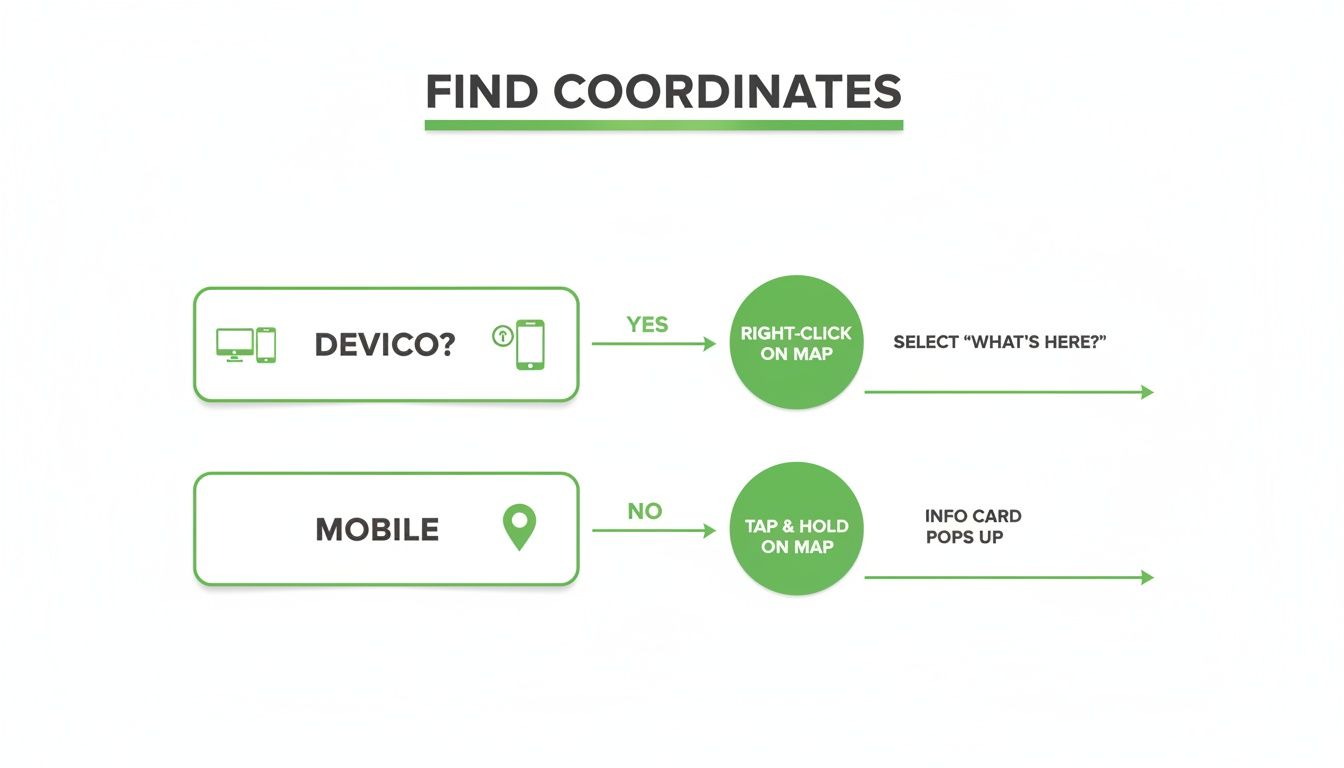
As you can see, the process really just boils down to a single, intuitive action on any device you're holding.
Here's a quick summary of the best methods for the tools you're probably already using.
Fastest Ways to Find Coordinates on Common Platforms
This table covers the quickest ways to grab coordinates from the most popular mapping tools.
| Platform | Method | Best For |
|---|---|---|
| Google Maps (Desktop) | Right-click any point on the map. | Instantly getting coordinates for any visible location. |
| Google Maps (Mobile) | Long-press any point to drop a pin. | Finding coordinates on the go with a single touch. |
| EarthChasers 3D Map | Click the "Coordinates" tool, then click the map. | Pinpointing locations in 3D for planning & analysis. |
| Handheld GPS Device | Mark a waypoint at your current location. | Capturing your exact position in the field. |
These simple actions are all you need to turn a visual spot on a map into a precise, shareable set of numbers.
Seeing It in Action
Sometimes seeing it makes all the difference. When you right-click on a spot in Google Maps, a small menu pops up, and the decimal coordinates are sitting right there at the top.
A single click copies them to your clipboard, ready to be pasted into an email, a text message, or one of our tools. It's an incredibly efficient feature that removes all the guesswork.
Key Takeaway: Finding map coordinates isn't some complex task reserved for surveyors anymore. With tools like Google Maps, anyone can grab the exact coordinates for any location on Earth in less than five seconds with a simple click or press.
Decoding the Language of Location Coordinate Formats
When you pull a set of coordinates from a map, you're looking at a universal language that pinpoints any location on Earth. But like any language, it has different dialects. Grasping the two most common formats is the key to using location data like a pro.
You'll almost always run into either Decimal Degrees (DD) or Degrees, Minutes, Seconds (DMS). They can point to the exact same spot on the globe, but they look and function very differently. Let's break down what you're seeing.
Decimal Degrees The Modern Standard
Decimal Degrees (DD) is what you'll find on most modern digital platforms. It's the native tongue of Google Maps, GPS devices, and most web mapping tools. It's clean, simple, and easy to work with.
A typical DD coordinate looks like this: 40.7128, -74.0060.
- The first number is the latitude (north-south position).
- The second number is the longitude (east-west position).
- Positive latitude is north of the equator; negative is south.
- Positive longitude is east of the Prime Meridian; negative is west.
The biggest advantage here is how straightforward it is for both computers and people. It’s perfect for copying and pasting into a routing app or sharing a meetup spot in a text message without any fuss.
Degrees Minutes Seconds The Classic Approach
The Degrees, Minutes, Seconds (DMS) format is the old-school, traditional way to write coordinates. It breaks down each degree into finer units, a system that was historically perfect for manual navigation and charting on paper maps.
That same spot in New York City looks like this in DMS: 40° 42' 46.08'' N, 74° 0' 21.6'' W.
Here’s the breakdown:
- Degrees (°): The largest unit, just like in DD.
- Minutes ('): Each degree is split into 60 minutes.
- Seconds (''): Each minute is split into 60 seconds.
- Direction (N, S, E, W): It uses cardinal letters instead of positive/negative signs.
This system is steeped in history. Back in 1569, Gerardus Mercator's world map projection allowed sailors to plot courses as straight lines, revolutionizing navigation. It helped mariners like Sir Francis Drake circumnavigate the globe with only 1-2% navigational loss—a massive leap from the 20-30% errors common before his time.
Expert Tip: While most digital tools default to Decimal Degrees, many specialized fields like aviation, maritime navigation, and land surveying still lean on the precision of DMS. Knowing how to read both makes you a much more versatile map user.
Trying to convert between these formats in your head can get messy fast. If you've got a DMS coordinate but need it in DD (or the other way around), a reliable tool is your best bet to avoid simple math errors.
For a quick, accurate swap, our handy coordinate converter tool does all the heavy lifting for you. It ensures your location data is always in the perfect format for whatever you're doing.
Using Google Maps to Pinpoint Any Location
Let's be honest, for most of us, Google Maps is the first and last stop for anything location-related. It's already on our phones and in our browsers, making it the most practical tool for grabbing coordinates. While you probably use it daily for directions, learning to pull exact coordinates unlocks a whole new level of precision for planning and sharing.
This isn't just about finding addresses. You can get the exact latitude and longitude for any point you can see—that specific picnic table in a sprawling park, a remote fishing spot on a lake, or the exact entrance to a confusing event venue. It's incredibly handy for meeting up where no street address exists.
Finding Coordinates on a Desktop Browser
When you're at your computer, pulling coordinates from Google Maps is laughably simple. The whole process takes just a second.
Open the map, find the spot you're interested in, and just right-click it. A menu pops up, and the very first thing you'll see is the location's coordinates in Decimal Degrees format, looking something like 40.7128, -74.0060.
A single left-click on those numbers instantly copies them to your clipboard. That's it. You're ready to paste them into an email, a message, or a tool like our Elevation Finder.
This is perfect for planning a group hike and telling everyone to meet at a specific trailhead entrance that doesn't have an address. Just right-click the spot and send the coordinates to the group chat.
Pro Tip: Don't be afraid to zoom way in! The right-click trick works at any zoom level. The more you zoom, the more accurate your click will be, whether you're targeting the corner of a building or a specific rock on a trail.
Getting Coordinates on Mobile Devices
When you're out in the field, your smartphone is your map. Finding coordinates on the Google Maps app (for both iOS and Android) is just as easy, but uses a different gesture.
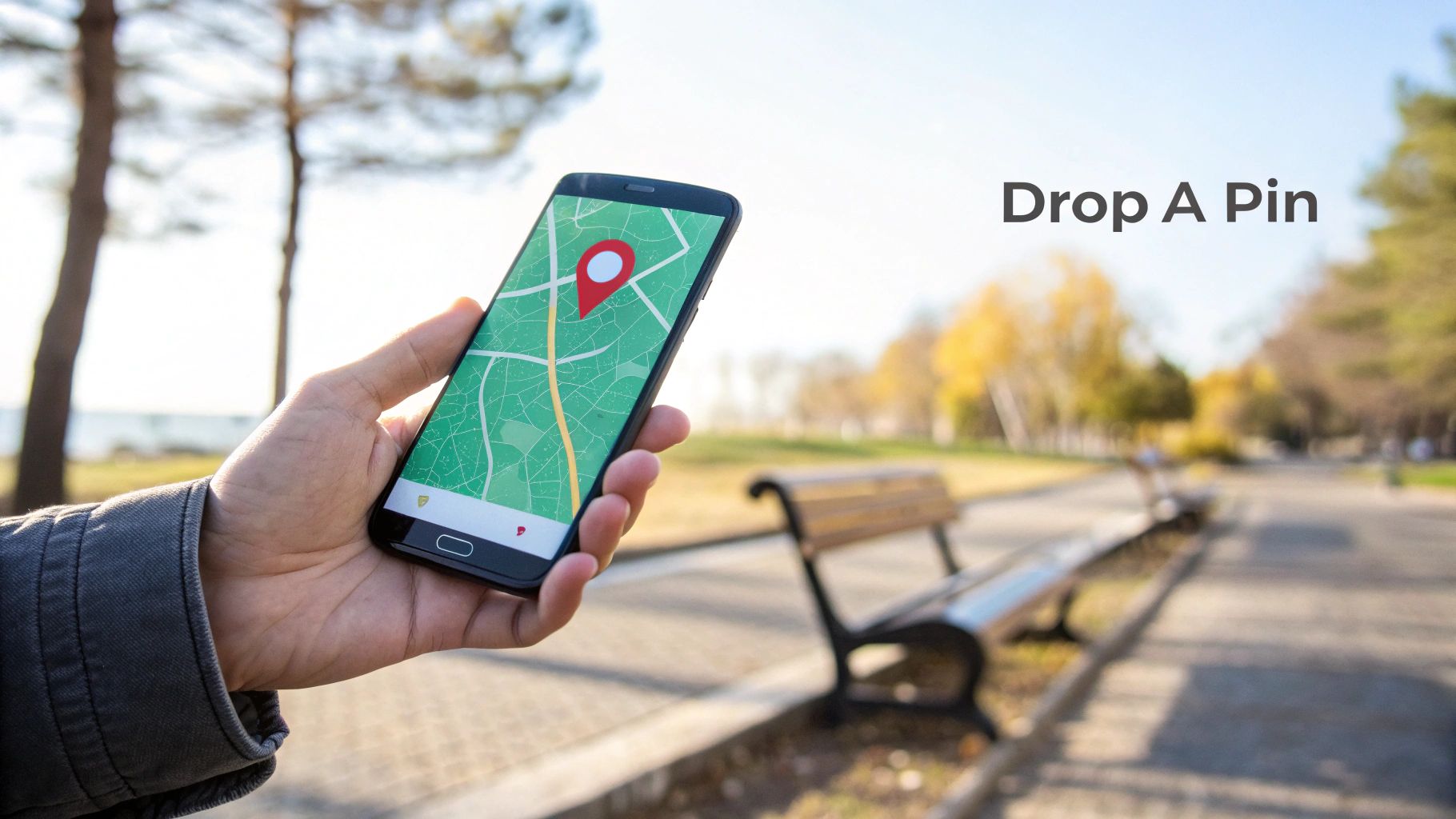
To get the coordinates on your phone, navigate to your location and do a long-press on the screen at the exact point you want to identify. This will drop a classic red pin on the map.
Once the pin appears, the coordinates will show up either in the search bar at the top or in an info panel that slides up from the bottom. Just tap the coordinates to copy them to your device’s clipboard, ready for sharing.
This mobile method is a lifesaver in tons of real-world situations:
- Guide a delivery driver: Live in a huge apartment complex? Drop a pin on your exact building entrance to save them the headache.
- Mark your car: In a massive parking lot for a concert, drop a pin where you parked so you can find your way back hours later.
- Share your meetup spot: If you're meeting friends in a big park, drop a pin on the bench you're sitting on and text it to them.
Reverse Lookup: Searching with Coordinates
Of course, finding coordinates is only half the battle. You also need to know what to do when someone sends you a set of coordinates.
Thankfully, Google Maps works both ways. Simply copy the coordinate pair someone sent you and paste it directly into the search bar, whether you're on your desktop or phone.
Hit enter or tap search. The map will immediately fly to that precise point and drop a pin, showing you exactly where you need to go. This simple reverse lookup makes you a master of both finding and using geographic coordinates.
Advanced Tools for Off-Grid and High-Precision Needs
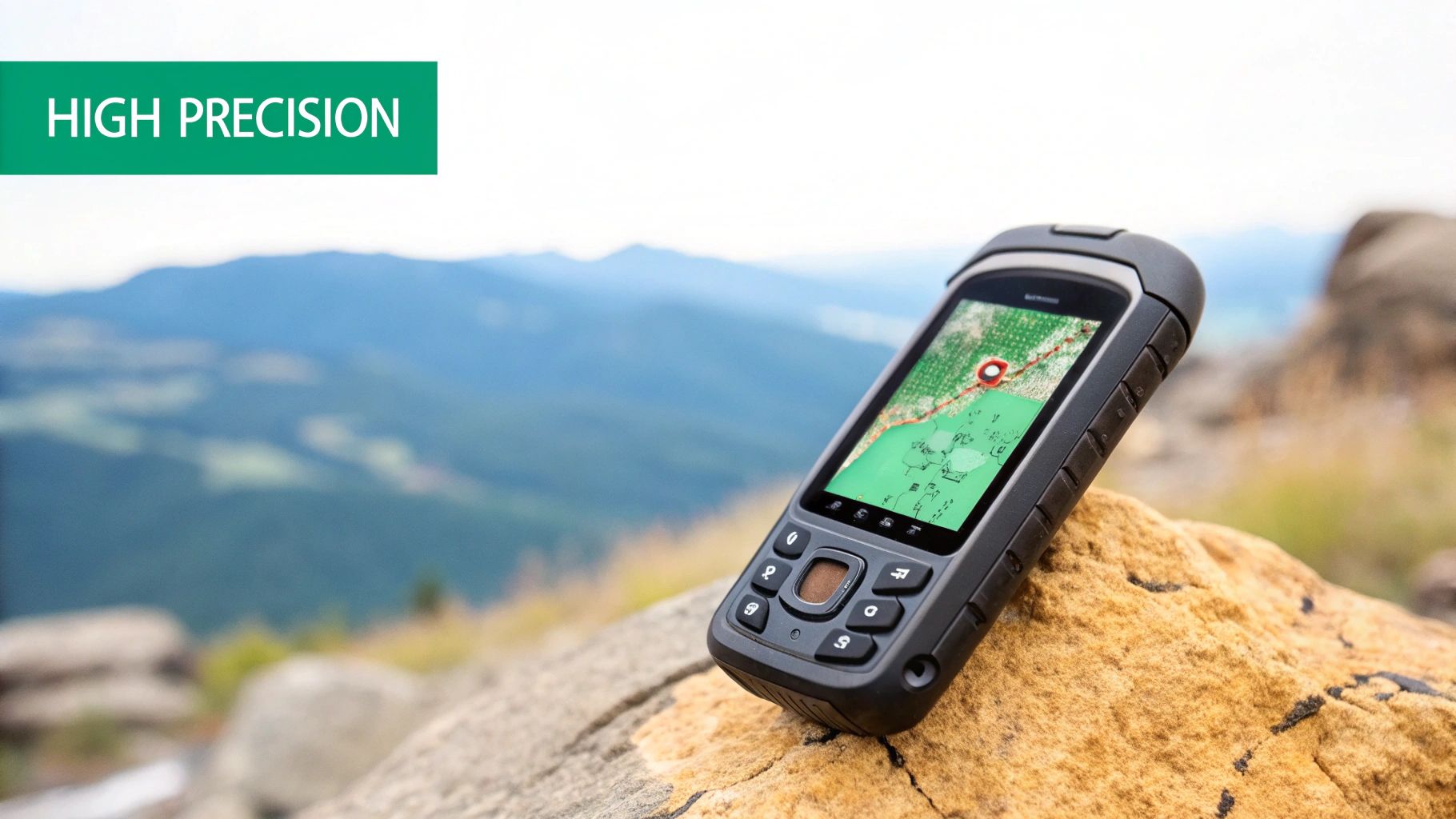
While the map app on your phone is fantastic for getting around town, its limitations show up fast when you’re hiking beyond cell service or need professional-grade accuracy. That’s when you need to reach for more robust tools built for demanding situations where reliability and precision aren’t just nice to have—they're essential.
These advanced tools are your guarantee that you’ll always know how to find coordinates on a map, even when you're completely disconnected.
Dedicated Handheld GPS Devices for Remote Use
When you’re truly off-grid, a dedicated handheld GPS becomes your lifeline. Your smartphone often relies on assisted GPS (A-GPS), which gets a boost from cell towers. But a rugged unit from a brand like Garmin communicates directly with a network of satellites, ensuring you get a solid signal in deep canyons, dense forests, or wide-open deserts.
Using one is pretty straightforward. You turn it on, give it a moment to lock onto satellite signals, and your current coordinates pop up on the screen. The real magic, though, is in marking waypoints—saving a specific set of coordinates with a custom name like "Campsite" or "Hidden Spring."
Getting that information back out is simple:
- Just navigate to your list of saved waypoints.
- Select the one you want, and its detailed information will appear.
- You’ll see the precise latitude and longitude, ready for you to jot down or share.
For hunters and wildlife researchers, this functionality is a game-changer. It can be paired with other gear, like a trail camera with GPS tracking, to log exact locations for monitoring wildlife activity over vast, remote areas.
Key Insight: A handheld GPS provides mission-critical reliability. Its battery life is often measured in days, not hours, and its durable build is designed to withstand the harsh conditions of the outdoors, making it the superior choice for serious expeditions.
Specialized Platforms for Enhanced Data
Back in civilization, sometimes you need more than just a simple latitude and longitude. This is where specialized online platforms and Geographic Information Systems (GIS) come into play. These systems are built for users who need to dig into deeper analytical data tied to their coordinates.
GIS manages and analyzes all kinds of geographical data, providing layers of information that go far beyond what a standard map can show. To get a better handle on this powerful technology, our guide offers a great overview of what Geographic Information Systems are.
This kind of detailed location intelligence is crucial for a lot of professionals:
- Drone Pilots: They need exact coordinates and altitude data to plan safe flight paths that avoid hidden obstacles.
- Land Surveyors: Their work is built on high-precision coordinates to define property boundaries with legal accuracy.
- Landscape Photographers: They might use coordinate data to plan the perfect shot based on the sun's position and the surrounding topography.
For example, you could use a 3D map tool to find the coordinates of a mountain peak, then plug those numbers into an elevation finder to get its precise height. This multi-tool approach gives you a much richer, more complete picture of your target, turning a simple dot on a map into a point with actionable, real-world data.
Putting Coordinates to Work in the Real World
Embedded content
Knowing how to find coordinates on a map is a powerful skill, but its real magic happens when you put those numbers into action. This is where a simple string of digits transforms into a tool for safety, precise planning, and even creative storytelling. Coordinates are the bridge between your digital map and the physical world.
Imagine getting turned around on a trail with spotty cell service. Being able to give emergency services your exact coordinates can slash the time it takes for a search and rescue team to find you. This isn't just for extreme scenarios, either—it's incredibly practical for helping a delivery driver find a tricky rural address or guiding a friend to your picnic blanket in a crowded park.
Enhancing Accuracy for Reliable Results
The reliability of your coordinates depends a lot on your device and its surroundings. Your smartphone's GPS can sometimes struggle, especially in dense urban areas where tall buildings block satellite signals. This is often called the "urban canyon" effect.
Thankfully, you can usually get a more precise reading with a few simple tweaks:
- Enable High-Accuracy Mode: On most Android and iOS devices, you can find a setting that lets your phone use Wi-Fi and cell networks to supplement the GPS data, which really helps fine-tune your position.
- Find an Open Area: Step away from tall buildings or dense tree cover. Giving your device a clear line of sight to the sky makes all the difference.
- Stay Still for a Moment: Give your GPS a few seconds to lock onto multiple satellites. If you're constantly moving, it's harder for the device to triangulate your position accurately.
Key Takeaway: Your location data is only as good as the signal you receive. Taking a few seconds to optimize your device's settings and position can be the difference between a rough guess and a pinpoint location.
Creative and Practical Applications
Beyond just safety, coordinates open up a world of creative possibilities. Once you've mastered finding them, you can use these skills to plan out incredible adventures, like exploring the best hiking places in the world. You can also geotag your travel photos, embedding location data directly into the image files to create a cool, interactive map of your journey.
This universal system of location has a deep history. The groundwork was laid way back around 240 BCE by Eratosthenes, who calculated Earth’s circumference with stunning precision. His work paved the way for a standardized grid, which was officially adopted in 1884 with Greenwich as the prime meridian. This single decision boosted maritime navigation accuracy by a staggering 90%.
Today, that same fundamental system powers the GPS in an estimated 6.7 billion devices worldwide.
Common Questions About Finding Map Coordinates
Even with the best tools, you’re bound to run into a few tricky questions when dealing with map coordinates. We’ve pulled together some of the most common ones we hear and laid out clear, simple answers to get you back on track.
What Is the Easiest Way to Find Coordinates for My Current Location?
Your smartphone is hands-down the fastest tool for this. Just pop open Google Maps or Apple Maps and hit the "My Location" icon—it usually looks like a crosshair or an arrow. This will immediately center the map right on you.
If you're using Google Maps, just press and hold the blue dot that shows where you are. The coordinates will pop right up. In Apple Maps, a single tap on the blue dot brings up the "My Location" panel, where you'll see your latitude and longitude listed. You can get a real-time fix in just a few seconds.
Can I Find a Location If I Only Have the Coordinates?
You bet. All the major mapping platforms are built to work like a search engine for coordinates. Simply copy and paste the latitude and longitude (something like 40.7128, -74.0060) directly into the search bar of Google Maps, Apple Maps, or your dedicated GPS unit.
The map will instantly jump to that exact spot. Just make sure the format is clean—usually two numbers separated by a comma, with no extra symbols or letters getting in the way.
Why Are My GPS Coordinates Sometimes Inaccurate?
GPS accuracy lives and dies by having a clear line of sight to multiple satellites overhead. If your reading is off, some kind of obstruction is almost always the culprit.
Several things can mess with the signal:
- Tall Buildings: In dense cities, signals bounce off buildings before they reach your device. This "urban canyon" effect can seriously confuse its calculations.
- Dense Tree Cover: A thick forest canopy can block or weaken the satellite signals trying to get through.
- Being Indoors: Most GPS signals can't get through roofs and walls, which is why your location is often wildly inaccurate or just plain wrong inside a building.
For a much better fix, step outside into an open area. It also helps to make sure any "high-accuracy" location settings are turned on in your phone. This lets your device use nearby Wi-Fi and cell networks to fine-tune its position, giving you a far more reliable result.
Ready to explore the world with precision? The EarthChasers 3D map makes it easy to find coordinates for any location and use them in our suite of free tools. Start exploring now.